Showing posts with label concept art. Show all posts

Wednesday, October 27, 2010

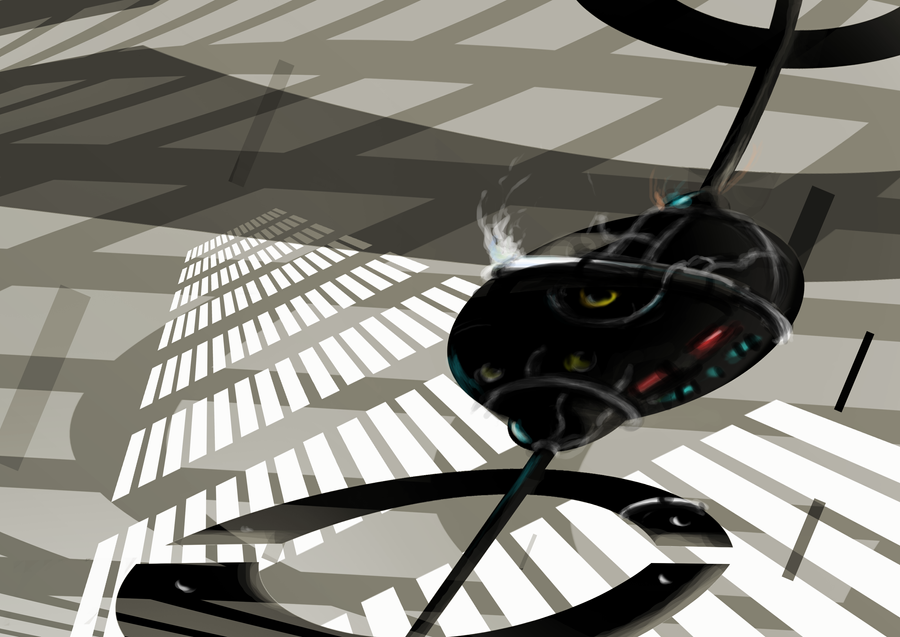
Illustration: Concept Art Practice 10


concept art practice 10 by =Waterdroplet-s on deviantART


Concept art practice.


What I did different this time was to not use default round brush but customized it to square shaped brush for eraser and brush.


Result was... it was not much different from a round brush.


I also tried to use more layers this time than before so I could play with layer effects. I used blur for motion or movement(don't know the exact translation for this) to add some movement to the illustration. However, doing too much seemed a bit distracting.

Anyway... I saw some improvement from my last painting I did for fun:


after I got this from my relative (shitake) :p


I started off with white base color, and that made the illustration a bit blurry. As a result, I used black from the start for my recent illustration, and it showed some improvement. Hopefully, I could improve more on the way.


IllustStudio
Photoshop CS3
2-3days (actually worked on this for a few hours over those days)

Friday, December 25, 2009

Wallpaper: foggy morning


Wallpaper: foggy morning by =Waterdroplet-s on deviantART

Wallpaper topic: nature

Concept Art Practice 10 :DDDD


It's available for download (personal usage only).

The size is 1600X1200pixel.

IllustStudio 1.1.0 (only!)
3 nights


Oh... I got too lazy to post photos from USJ (Universal Studio Japan) on last Sun. It's available for viewing in my Japanese blog:
http://daydreamingsky.blog94.fc2.com/blog-entry-1378.html

I will be taking a 1.5 week vacation from tonight :D

Mostly... pigging out, etc... staying at home mostly... but... will try to be a proper COUCH POTATO of the century.

So... I might not update anything unless it's photo for my art activity. :p


The next wallpaper theme would be SciFi since I failed last time.


I also became a tester for Clip service of Celsys's site. Celsys is a Japanese company that made Comic Studio (original version of Manga Studio), IllustStudio, and Retas Studio. It's open to general public sometime next year, but I will be using its beta service for some graphics.

The following are CG I displayed on-line already. You would have to press the bottom left button in order to view it with an on-line viewer when a widow pops up.


Friday, November 13, 2009

Wallpaper and concept art practices


Wallpaper: Lights and Shadows by =Waterdroplet-s on deviantART

1920X1200 pixel
1600X1200 pixel
available for download for personal usage only in the link above.

It's wip:


Cinema 4D R11 studio
Photoshop CS3
Modeling: 30 min, Rendering: ~1 hr, Editing: 5-10 min


and concept art practice:

Concept art practice 9 by =Waterdroplet-s on deviantART

Photoshop CS3 (used brushes by Jama and concept-on-mac. Thank you.)
Photos: Osaka photo I took with a mobile phone a few weeks ago, 素材辞典(Sozaijiten) Vol. 168- probably Tokyo or something.
3 nights?

Tuesday, October 27, 2009

Doodle: Concept Art Practice 8


concept art practice 8 by =Waterdroplet-s on deviantART


Photoshop CS3
1-2 hrs.

Thanks a million to Jama and battlefist for tips and brushes!


This is a quick practice, sort of speed painting, for concept art. I think if I don't concentrate... all of my paintings turn into waterscapes. My old bad habit. I want to explore more paintings with Photoshop like this in future.


I know now how laziness and short height gets in the way of imagining landscapes.

1. Used vanishing point this time- properly, two point perspective thingmy- which I didn't do it properly in the past often

2. Must draw these kind of landscapes from angle- high up or aerial view to make the place seem vast. I often drew from the perspective of a ground level and that... made things look flat. Oi.

Tuesday, September 1, 2009

Concept Art Practices

These

concept art practice 5 by =Waterdroplet-s on deviantART
3 hours
Painter X (charcoal, digital water color)


Dragon and a boy eating roasted sweet potatoes (yeah- random):

2 hours
Painter X (Charcoal, air brush)


1.5 hours
Photoshop CS3
Painter X (airbrush)

The one above was created after I created this in Photoshop CS3:


Basically, drew a simple outline of tree-like stuff, used a composition method of drawing circle like objects to guide the viewer's eyes to a certain area of the illustration. Then, I painted on top in Painter X


Now that I had several practices, I will try to draw more dynamic illustrations. So... might take a few days on that once I get the idea.

Wednesday, July 29, 2009

concept art practice 3


Before the editing (drawn with a mouse for 20-30 min again):


Photoshop CS2/CS3
Mouse
intuos 3

Monday, July 27, 2009

Concept art practice 2


I added details to another 20-30 min doodle with mouse + Photoshop:


It's just a path on water or clouds with abstract mountains(?) nearby.


For this, I used a following brush by Velavan (since I wasn't bothered drawing lines):

PERSPECTIVE GRID BRUSH by ~VELAVAN on deviantART


and... transformed it to a shape I wanted before I started painting.